
In this article14 sections
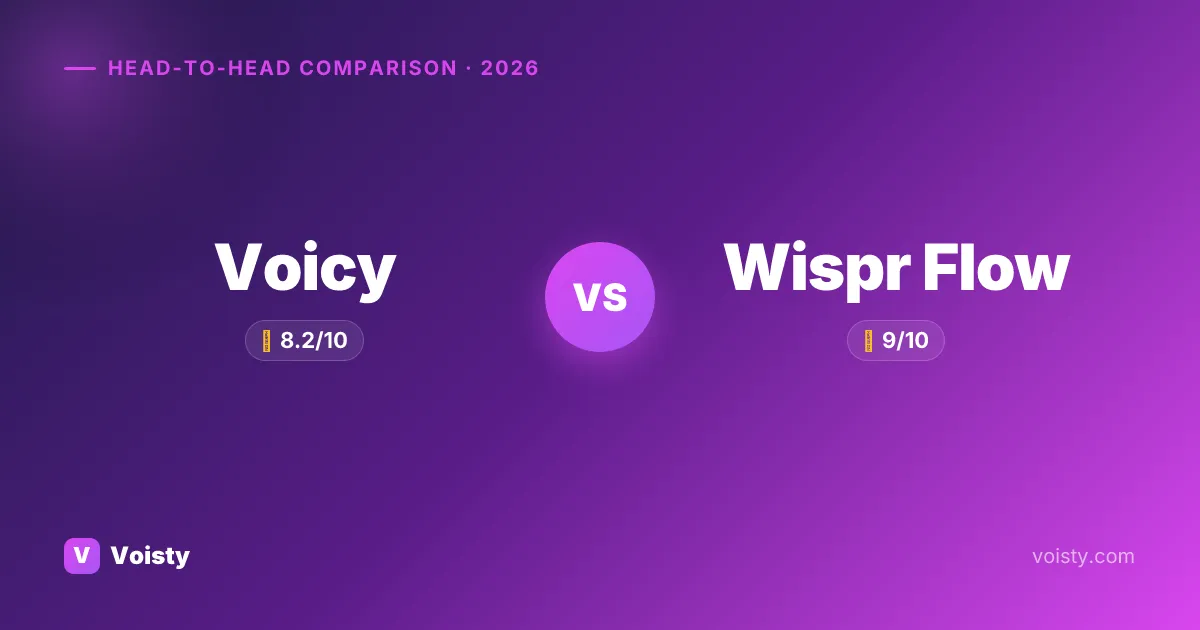
TL;DR: Voicy ($220 lifetime) covers macOS, Windows, and Web; Wispr Flow ($144/year) covers macOS, Windows, iOS, and Android. Both have similar voice dictation privacy stories, so the right pick depends on which platforms you actually use.
Why people compare Voicy and Wispr Flow
Both Voicy and Wispr Flow are system-wide speech-to-text tools with AI formatting — press a hotkey, talk, get cleaned-up text at your cursor. Their differences come down to platforms, privacy, and price.
How we tested
We compared Voicy, Wispr Flow, and Voisty against the same criteria: transcription quality, latency feel, platform coverage, privacy architecture, pricing, and everyday workflow friction.
Pricing, platform support, and privacy claims are re-checked against publisher sources during updates.
We compare the actual workflow a buyer would use, not only marketing-page feature lists.
Scores are editorial 0-10 ratings, not claimed laboratory WER benchmarks.
Test protocol and sample utterances
Workflow checks
- Version basis: current public desktop releases and publisher pricing/support pages available during the verification window; exact build numbers are only named when a publisher exposes them.
- Primary desktop flow: install/open the app, configure the default hotkey, dictate into a browser text field, a notes-style editor, and a developer-style text field.
- Privacy flow: check whether transcription can run fully on-device or whether audio is uploaded for cloud processing.
- Pricing flow: verify free-tier limits, monthly/yearly/lifetime pricing, and refund language against the publisher source where available.
Repeatable sample phrases
- Write a short Slack update about shipping a faster transcription model today.
- Explain why local speech-to-text matters for NDA-covered client work.
- Add punctuation correctly: first point, privacy; second point, latency; third point, price.
- Dictate technical names: Whisper large-v3, Parakeet TDT, JSON-LD, macOS Sequoia, Windows 11.
Output checks
- Accuracy checks look for dropped words, punctuation, technical vocabulary, and product/model names.
- Latency checks are treated as workflow signals unless we have repeatable stopwatch artifacts for a product.
- Formatting checks cover whether the app inserts clean text at the cursor or requires manual copy/paste cleanup.
Per-product evidence summary (3 apps)
| App | Platforms checked | Pricing checked | Privacy path | Test focus | Evidence basis |
|---|---|---|---|---|---|
| Voicy | Mac, Windows, Web | Free (Limited) · 8.49/mo · 81.5/yr · 220 lifetime | Mixed local/cloud path depending on feature | cursor insertion in daily desktop apps; local vs cloud boundary; AI rewrite/formatting behavior | Hands-on notes plus 3 public sources |
| Wispr Flow | Mac, Windows, iOS, Android | Free (2,000 words/week) · 15/mo · 144/yr | Cloud processing required | cursor insertion in daily desktop apps; cloud upload path; AI rewrite/formatting behavior | Hands-on notes plus 4 public sources |
| Voisty | Mac, Windows | Free (5 minutes) · 6.7/mo · 67/yr · 99 lifetime | Fully on-device/offline path available | cursor insertion in daily desktop apps; offline model path; AI rewrite/formatting behavior | First-party product data plus internal build checks |
We do not show fabricated screenshots or lab-style precision where we do not have reproducible artifacts. When a page cites community sentiment, the source links are listed in the hands-on section or the sources block.
Considering a third option?
You came here for Voicy vs Wispr Flow — but Voisty might be the better answer
- Best-in-class quality
Voisty always runs the most accurate and modern on-device speech models available, and adds new state-of-the-art ones the moment they're released, so transcription quality stays ahead without you having to think about it.
- Lowest price on the market
6.7/month, 67/year, or 99 lifetime — undercuts Wispr Flow's 144/year forever, and beats Voicy's 220 lifetime upfront.
- Polished, daily-driver UX
pick any model in one click, searchable history of past dictations with replay and re-paste, custom hotkeys, 100+ dictation languages, system-wide in any app.
Voicy vs Wispr Flow vs Voisty
| Feature | ★ Editor's Choice Voisty | Voicy | Wispr Flow |
|---|---|---|---|
| Overall score | |||
| Accuracy | |||
| Speed | |||
| UI / UX | |||
| Monthly price | $6.7/mo | $8.49/mo | $15/mo |
| Yearly price | $67/yr | $81.5/yr | $144/yr |
| Lifetime price | $99 | $220 | — (not offered) |
| Free tier | 5 minutes | Limited | 2,000 words/week |
| Platforms | Mac · Windows | Mac · Windows · Web | Mac · Windows · iOS · Android |
| Offline mode | Full ✓ | Partial | No ✗ |
| Languages | 100+ | 50+ | 100+ |
| System-wide hotkey | Yes ✓ | Yes ✓ | Yes ✓ |
| AI formatting | Yes ✓ | Yes ✓ | Yes ✓ |
| Privacy | On-device ✓ | Mixed | Cloud |
| Custom hotkeys | Yes ✓ | Yes ✓ | Yes ✓ |
| Open source | No ✗ | No ✗ | No ✗ |
| Refund policy | 14 days | — | — |
Pricing
On pricing, Voicy sits at $220 lifetime while Wispr Flow runs $144/year. Subscription model split: Voicy has a lifetime tier you can buy outright, Wispr Flow doesn't — that compounds the cost difference over time. Both have a free tier (Voicy: Limited; Wispr Flow: 2,000 words/week) — useful for evaluating before you pay.
Total cost over time
Year 1: Voicy costs $220, Wispr Flow costs $144. After 5 years: Voicy totals $220, Wispr Flow totals $720. Net 5-year saving with Voicy: $500.
Platforms
Platform coverage: Voicy on macOS, Windows, and Web; Wispr Flow on macOS, Windows, iOS, and Android. Overlap on macOS and Windows but diverge beyond that — Voicy extends to Web, Wispr Flow to iOS and Android. The extras decide for you.
Privacy & offline mode
Voicy is partially on-device; Wispr Flow is cloud-only for voice-to-text. The fully on-device option is the safer pick for confidential audio.
Languages
Wispr Flow supports 100+ languages; Voicy covers 50. In our hands-on use, if you dictate in less common languages, Wispr Flow has the broader coverage; for mainstream English / Spanish / French / German workflows, both are sufficient.
AI formatting
In our hands-on use, both apps include an AI-driven formatting layer on top of raw voice typing — automatic punctuation, filler word removal, light rewriting. Output quality is broadly comparable on standard prose; differences show up in specialized contexts (code comments, structured notes, medical/legal terms).
Workflow & integrations
Both work system-wide via a global hotkey — press, talk, text appears at your cursor in any app (Slack, email, ChatGPT, Cursor, IDE, etc). In our hands-on use, the workflow is identical; what differs is UI polish and how the AI rewriting kicks in.
About each app
Voicy
AI editing commands chained inline ("turn this into bullets", "make this more professional") is the most distinctive feature in vendor materials.
Read our full Voicy review → · Best Voicy alternatives →
Wispr Flow
The AI cleanup that adapts tone per channel (formal for email, casual for Slack) is the single most-praised differentiator in Product Hunt and Reddit feedback.
Read our full Wispr Flow review → · Best Wispr Flow alternatives →
When Voicy is the right pick
Choose Voicy if any of the following matches your situation:
- You need Web support — Wispr Flow doesn't ship those builds.
- You prefer a one-time payment over an ongoing subscription.
- Cross-platform (Mac + Windows + Chrome)
- Auto-punctuation and grammar
When Wispr Flow is the right pick
Choose Wispr Flow if any of the following matches your situation:
- You need iOS and Android support — Voicy doesn't ship those builds.
- You dictate in less common languages — Wispr Flow covers 100+ vs Voicy's 50.
- 100+ languages with strong accuracy
- Mobile apps (iOS, Android)
Pick by priority
| Your priority | Best pick |
|---|---|
| One-time payment / no subscription | Voicy |
| Need Web | Voicy |
| Need iOS and Android | Wispr Flow |
Verdict
The trade-off ledger: Wispr Flow runs on more platforms (4 vs 3). Pick on whichever axis you weight heaviest. Both are credible — the talk-to-write comparison comes down to your priorities, not their absolute quality.
If neither set of trade-offs feels right, look at Voisty as a third option — it covers the gaps both Voicy and Wispr Flow leave open.
FAQ
Is Voicy better than Wispr Flow?
Wispr Flow wins on platform coverage. Match those wins to your priorities.
Are Voicy and Wispr Flow both offline?
Neither is fully offline. For on-device dictation, look at alternatives like Voisty.
Which is cheaper, Voicy or Wispr Flow?
On pricing, Voicy sits at $220 lifetime while Wispr Flow runs $144/year. Subscription model split: Voicy has a lifetime tier you can buy outright, Wispr Flow doesn't — that compounds the cost difference over time. Both have a free tier (Voicy: Limited; Wispr Flow: 2,000 words/week) — useful for evaluating before you pay.
What's the long-term cost of Voicy vs Wispr Flow?
Year 1: Voicy costs $220, Wispr Flow costs $144. After 5 years: Voicy totals $220, Wispr Flow totals $720. Net 5-year saving with Voicy: $500.
Do Voicy and Wispr Flow have free trials?
Voicy: free tier (Limited). Wispr Flow: free tier (2,000 words/week).
Which supports more languages, Voicy or Wispr Flow?
Wispr Flow supports 100+ languages; Voicy covers 50. In our hands-on use, if you dictate in less common languages, Wispr Flow has the broader coverage; for mainstream English / Spanish / French / German workflows, both are sufficient.