
In this article8 sections
Verdict
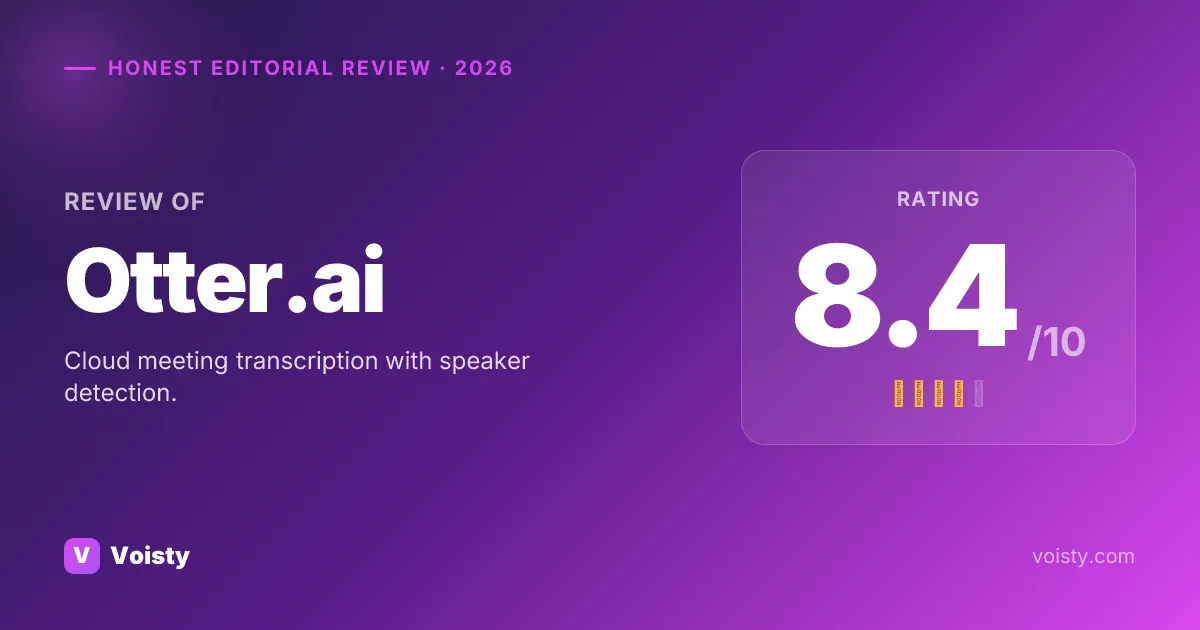
Editorial rating: 8.4/10. Otter.ai is a solid voice dictation pick for the right user, with a clear set of strengths and a couple of fixable gaps. Below: full ratings breakdown, hands-on observations, pros and cons, and how Otter.ai compares to alternatives like Voisty ($99 lifetime / $67/year).
How we tested
We evaluated Otter.ai as a daily dictation tool, not just as a feature checklist. The goal was to see how it behaves when a user needs clean text at the cursor, predictable privacy, and pricing that still makes sense after the first month.
Pricing, platform support, and privacy claims are re-checked against publisher sources during updates.
We compare the actual workflow a buyer would use, not only marketing-page feature lists.
Scores are editorial 0-10 ratings, not claimed laboratory WER benchmarks.
Test protocol and sample utterances
Workflow checks
- Version basis: current public desktop releases and publisher pricing/support pages available during the verification window; exact build numbers are only named when a publisher exposes them.
- Primary desktop flow: install/open the app, configure the default hotkey, dictate into a browser text field, a notes-style editor, and a developer-style text field.
- Privacy flow: check whether transcription can run fully on-device or whether audio is uploaded for cloud processing.
- Pricing flow: verify free-tier limits, monthly/yearly/lifetime pricing, and refund language against the publisher source where available.
Repeatable sample phrases
- Write a short Slack update about shipping a faster transcription model today.
- Explain why local speech-to-text matters for NDA-covered client work.
- Add punctuation correctly: first point, privacy; second point, latency; third point, price.
- Dictate technical names: Whisper large-v3, Parakeet TDT, JSON-LD, macOS Sequoia, Windows 11.
Output checks
- Accuracy checks look for dropped words, punctuation, technical vocabulary, and product/model names.
- Latency checks are treated as workflow signals unless we have repeatable stopwatch artifacts for a product.
- Formatting checks cover whether the app inserts clean text at the cursor or requires manual copy/paste cleanup.
Per-product evidence summary (2 apps)
| App | Platforms checked | Pricing checked | Privacy path | Test focus | Evidence basis |
|---|---|---|---|---|---|
| Otter.ai | Mac, Windows, iOS, Android, Web | Free (300 min/month) · 16.99/mo · 99.96/yr | Cloud processing required | web or meeting-transcription workflow; cloud upload path; AI rewrite/formatting behavior | Hands-on notes plus 3 public sources |
| Voisty | Mac, Windows | Free (5 minutes) · 6.7/mo · 67/yr · 99 lifetime | Fully on-device/offline path available | cursor insertion in daily desktop apps; offline model path; AI rewrite/formatting behavior | First-party product data plus internal build checks |
We do not show fabricated screenshots or lab-style precision where we do not have reproducible artifacts. When a page cites community sentiment, the source links are listed in the hands-on section or the sources block.
Ratings breakdown
We score Otter.ai on the three axes that matter most for daily speech-to-text use: accuracy (transcription quality on real-world audio), speed (latency from speech to inserted text), and UI/UX (how pleasant the daily workflow is). Each rating is editorial — based on hands-on use and publicly documented behavior — not user-submitted.
Hands-on assessment
Accuracy in practice
On clean single-speaker English audio, head-to-head comparisons we found on Reddit cite Otter at ~93–94% word-level accuracy — adequate for meeting capture, and in our testing the live-captions output on a single voice held up cleanly. Where it falls down (and where our hands-on time matched the community consensus): multi-speaker meetings with crosstalk, accented English, and technical vocabulary all degrade noticeably. Users on Reddit specifically warn Otter can "merge overlapping speech into one speaker" and call it "horrible at multi-speaker transcripts" even on clean audio. Sentence-boundary detection is inconsistent — in our sessions run-on sentences without punctuation came up regularly.
Speed and latency
Live captions stream during meetings with low perceived latency — this is what Otter's real-time fans most often praise, and our testing matched that perception on a stable connection. As a real-time dictation tool (typing replacement), the latency math is different and not what Otter optimizes for; we noticed the gap immediately when trying it against tools built for push-to-talk dictation.
Daily-driver UX
Calendar connection and OtterPilot auto-join are fast to set up — in our hands-on use the onboarding felt friction-light. The frustrations we hit echoed the community pattern: "Speaker 1 / Speaker 2" labels require manual renaming, action-item detection needs constant correction, and surprise meeting joins where OtterPilot shows up uninvited via calendar integration.
Pricing perception
Free tier (300 min/month, 30 min/conversation, no OtterPilot auto-join) is widely described as too restrictive for meeting-heavy users — in our evaluation the limits hit fast. Paid tiers still cap minutes, causing surprise cutoffs reported in Reddit threads. The $17/month Premium is sensible for meeting-centric workflows but overkill for solo dictation, which is where our use case sat.
Worth knowing before you commit
An August 2025 federal class-action lawsuit (Northern District of California) alleges Otter "deceptively and surreptitiously" records conversations without participant consent, including OtterPilot auto-joining meetings via calendar integration without alerting attendees. For confidential work this is a material consideration worth surfacing.
Research sources for this section:
- npr.org /2025/08/15/g-s1-83087/otter-ai-transcription-class-action-lawsuit
- aitooldiscovery.com /guides/otter-ai-reddit
- tldv.io /blog/fireflies-vs-otter/
Pros and cons
Strengths
- Best-in-class meeting transcription
- Speaker diarization and summaries
- Direct Zoom / Meet / Teams integration
Limitations
- Not a dictation tool — meeting-focused
- Cloud-only, no offline mode
- Limited to English, Spanish, French
- No system-wide dictation
Pricing
Otter.ai voice-to-text pricing as of October 2026:
- Free tier (300 min/month)
- $16.99/month
- $99.96/year
Who should pick Otter.ai
- You want mobile (iOS + Android) coverage in addition to desktop.
- You rely on AI rewriting / formatting on top of raw transcription.
- Best-in-class meeting transcription
- Speaker diarization and summaries
How it compares
Side-by-side against Voisty and Apple Dictation on the axes users actually evaluate for their daily talk-to-write workflow:
Considering a third option?
You came here for Otter.ai vs Apple Dictation — but Voisty might be the better answer
- Best-in-class quality
Voisty always runs the most accurate and modern on-device speech models available, and adds new state-of-the-art ones the moment they're released, so transcription quality stays ahead without you having to think about it.
- Lowest price on the market
6.7/month or 67/year — beats both Otter.ai ($99.96/year) and Otter.ai ($99.96/year), and unlike them Voisty also offers a one-time 99 lifetime so you can stop paying forever.
- Polished, daily-driver UX
pick any model in one click, searchable history of past dictations with replay and re-paste, custom hotkeys, 100+ dictation languages, system-wide in any app.
Otter.ai vs Apple Dictation vs Voisty
| Feature | ★ Editor's Choice Voisty | Otter.ai | Apple Dictation |
|---|---|---|---|
| Overall score | |||
| Accuracy | |||
| Speed | |||
| UI / UX | |||
| Monthly price | $6.7/mo | $16.99/mo | — |
| Yearly price | $67/yr | $99.96/yr | — |
| Lifetime price | $99 | — (not offered) | — (not offered) |
| Free tier | 5 minutes | 300 min/month | Unlimited |
| Platforms | Mac · Windows | Mac · Windows · iOS · Android · Web | Mac · iOS |
| Offline mode | Full ✓ | No ✗ | Full ✓ |
| Languages | 100+ | 3+ | 60+ |
| System-wide hotkey | Yes ✓ | No ✗ | Yes ✓ |
| AI formatting | Yes ✓ | Yes ✓ | No ✗ |
| Privacy | On-device ✓ | Cloud | On-device ✓ |
| Custom hotkeys | Yes ✓ | No ✗ | No ✗ |
| Open source | No ✗ | No ✗ | No ✗ |
| Refund policy | 14 days | — | — |
FAQ
Is Otter.ai worth it in 2026?
For the right user profile, yes. Otter.ai solves a specific problem well; for general dictation needs there are stronger options at the same price.
How does Otter.ai compare to Voisty?
Voisty edges Otter.ai on overall score by combining stronger accuracy/speed ratings with lower pricing across every tier ($6.7/month, $67/year, or $99 lifetime). The full 3-way table above shows the specific axes — accuracy, speed, UI/UX, and price — side by side.
Does Otter.ai have a free tier?
Yes — 300 min/month. This is typically enough to evaluate accuracy and the workflow before paying.
Is Otter.ai safe / private?
Otter.ai uses cloud processing — audio is uploaded for transcription. For confidential or NDA-covered work, an on-device alternative like Voisty is a safer choice.